Touchscreen vs Keyboard: Choosing Rhythm Controls
Rhythm
A practical comparison of mobile thumbs, table play and the Steam six-key layout—without pretending controller support is confirmed.
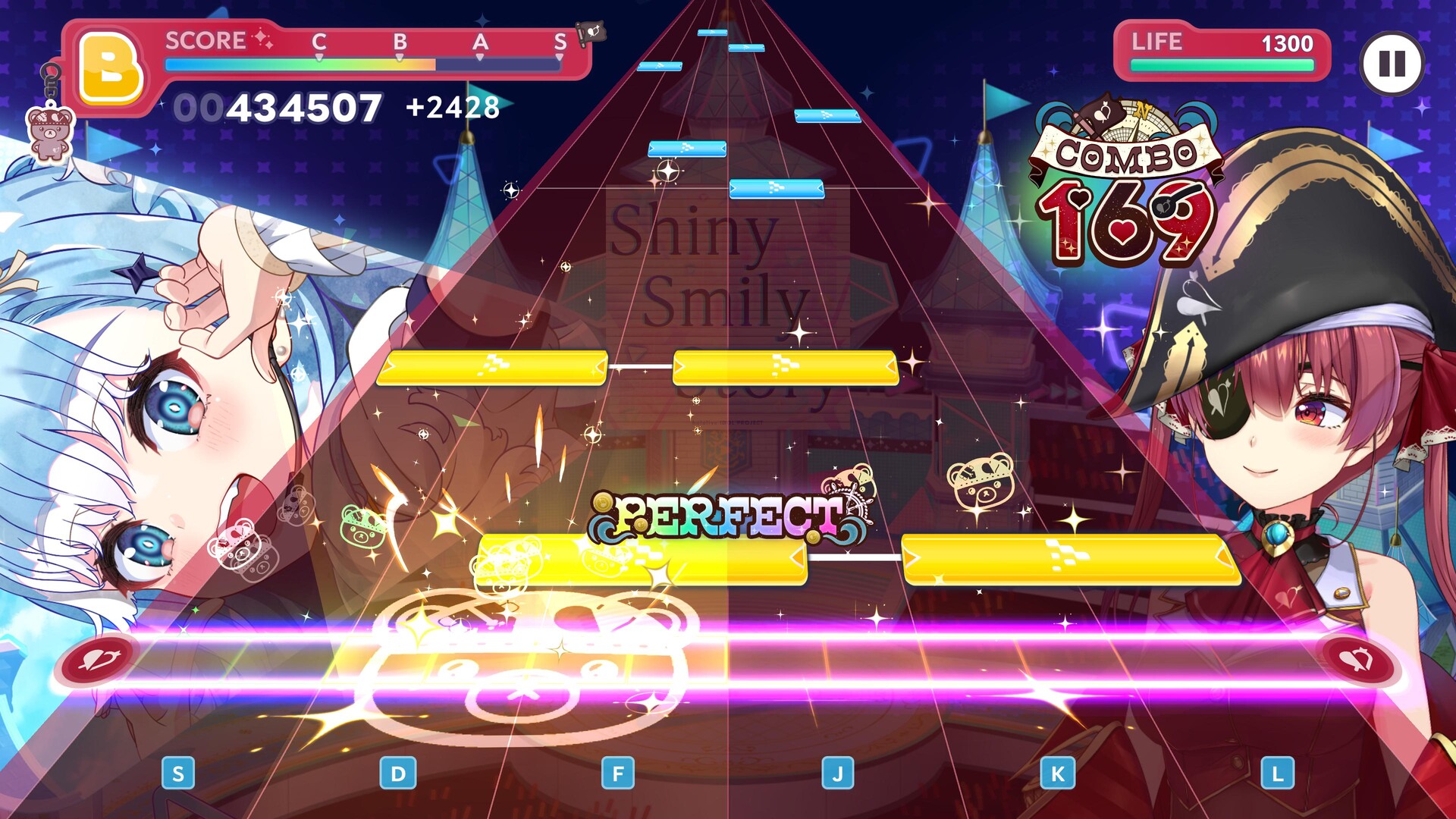
hololive Dreams is available on mobile and Steam, but the best rhythm input depends on your device, latency and habits. Community reports already disagree—which is exactly why one universal recommendation would be dishonest.
Mobile: thumbs
Thumb play is convenient and works well when you want to hold the phone. It is a sensible starting point for Easy and Normal. Its limits appear when gripping the device causes tension or dense patterns ask both thumbs to move farther than is comfortable.
Mobile: device on a table
Placing the phone or tablet on a non-slip surface lets you use index fingers and gradually involve more fingers. Players who struggle with fast patterns often find this more stable. The tradeoff is portability: it needs a suitable surface and a device that does not slide.
Steam: six keyboard lanes
The official Steam screenshot shows the rhythm lanes mapped to S, D, F, J, K, L. Use a home-row posture: left hand over S-D-F and right hand over J-K-L. Keyboard input avoids covering the screen, but players without rhythm-keyboard experience may need time to map each lane mentally.
Run a controlled comparison
Use the same song and difficulty on both devices:
- Turn off distracting effects on both.
- Use speakers or wired audio for the first comparison.
- Play three runs per input method.
- Record misses, comfort and whether the device dropped frames.
- Choose the setup with the most repeatable result, not the single highest lucky score.
Bluetooth and display latency
Mobile Bluetooth audio can arrive later than the visual note. PC displays, wireless keyboards and performance drops can introduce different delays. Calibrate each device separately; an offset copied from mobile should not be reused on PC.
Controller status
Players are asking about PS5 and other controller support, but we did not find an official controller-support statement on the Steam page or official site. Do not buy hardware for this game based on a fan page claiming full controller support. Keyboard and touch are the visibly documented inputs at launch.
For the setup procedure, use our timing calibration guide.
Sources
- Official Steam page and keyboard screenshot
- Reddit: mobile, keyboard and hand-position experiences
- Reddit: open controller-support question
Input preference is subjective; controller support remains unconfirmed. Verified 2026-07-26.
Discussion
0Sign in to join this discussion.
Sign inLoading comments...