Rhythm Beginner Guide: Reading Notes and Hand Position
Rhythm
A practical path from failing Easy charts to reading lanes calmly: where to look, how to position your hands, and which settings to change first.
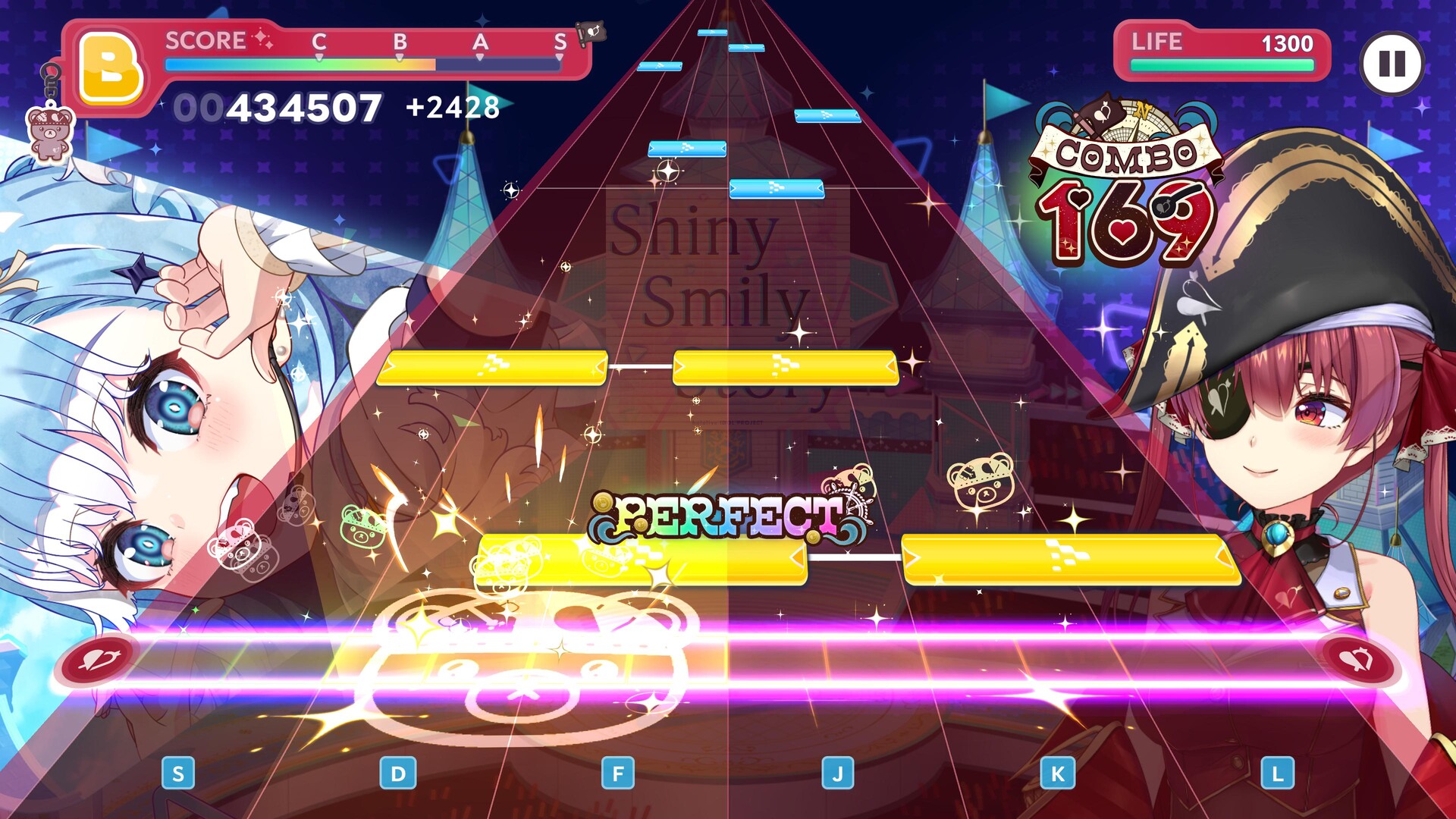
If Easy still feels overwhelming, the answer is not to mash faster. First make the chart readable, then train one input pattern at a time.
Look above the judgment line
Do not stare at your fingers or wait until a note reaches the bottom. Keep your eyes around the middle-to-upper part of the lanes and use peripheral vision to judge the final approach. This gives your brain more time to recognize the next pattern.
Choose a stable hand position
On a phone, two approaches are common:
- Thumbs: comfortable while holding the device and sufficient for many Easy and Normal charts.
- Index fingers on a table: the phone stays still and more fingers are available when patterns become dense.
Neither is universally better. Use the position that lets you repeat the same motion without gripping the device or tensing your shoulders.
On PC, the official Steam screenshot shows the six rhythm lanes mapped across S, D, F, J, K, L. Keep the left hand over S-D-F and the right hand over J-K-L instead of chasing notes with one finger.
Note speed is spacing, not song speed
Raising note speed does not make the music faster. It reduces how long notes remain visible, which creates more space between notes. A higher value can make dense patterns easier to separate, but setting it too high removes reaction time.
Change speed in small steps and test the same familiar chart after each change. Do not copy another player's number as if it were a universal answer. For timing and offset testing, use our calibration protocol.
Remove avoidable distractions
If character cut-ins, skill effects, or a busy video background make lanes hard to read, reduce those effects in Live settings. If taps feel late while using Bluetooth audio, test the same chart through the device speaker or wired audio. Bluetooth delay varies by device, so changing the timing offset blindly can make the speaker setup worse.
A 20-minute practice loop
- Pick one song you know well.
- Play Easy until you can finish without panic.
- Repeat while looking higher up the lane.
- Adjust note speed by one small step.
- Move to Normal only when the lane patterns, not the score rank, feel readable.
A low letter rank does not necessarily mean your tapping is bad; team strength also affects score. See why a clear can still receive C or D.
Sources and confidence
- Official Steam page and rhythm screenshot
- Reddit beginner discussion: settings, Bluetooth delay, sight line and hand position
- Samool's beginner video
Hand position and comfort advice are community techniques, not official rules. Verified 2026-07-26.
Discussion
0Sign in to join this discussion.
Sign inLoading comments...