Holomem Invitations: Unlock and Switch Your Playable Talent
Progression
Where the invitation menu is, why it may be locked, how Holomem Quests work, and where to switch after completion.
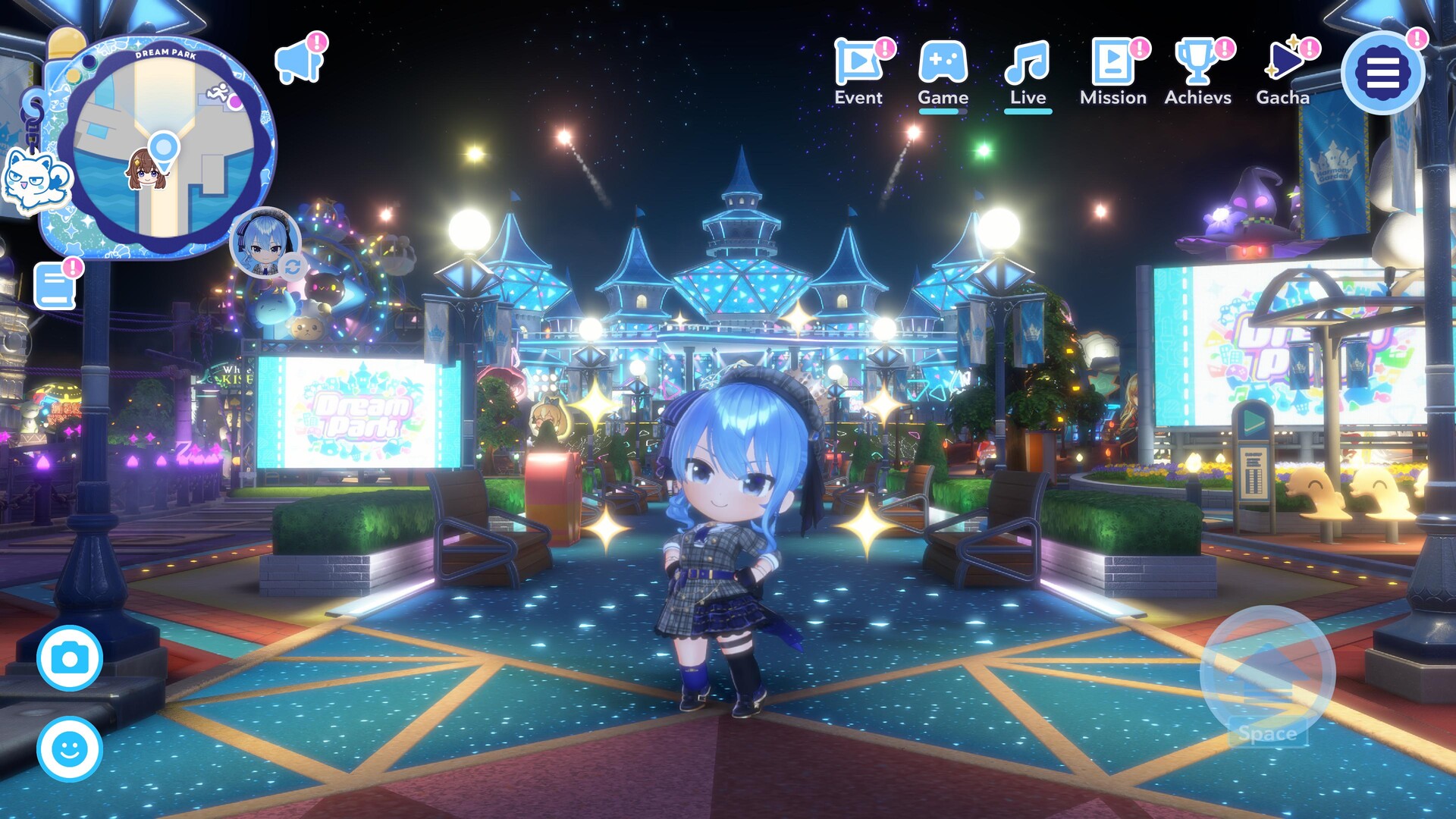
Holomem Invitations do not directly add a card to your rhythm lineup. Their item text points to a different progression system: select a talent, start that talent's Holomem Quest, then unlock the talent for use around Dream Park.
Where to use an Invitation
Launch players report this route:
- Progress the opening story until Holomem Quests are introduced.
- Open the book icon below the minimap.
- Select the Holomem tab.
- Choose an available talent and use an Invitation to begin the quest.
If the Holomem tab or selection action is missing, continue the main quest instead of assuming the item is broken. The feature is introduced through progression.
Complete the Holomem Quest
Follow the newly created quest chain. The official game description confirms that Holomem Quests are the route used to unlock more playable talents. The exact objectives can differ by talent, so follow the current in-game objective rather than a copied universal checklist.
How to switch characters
After completing the talent's quest, players report that the character-switch control appears as a portrait/icon near the lower-right side of the minimap. Open it and select an unlocked talent.
Changing the character you walk around as is not the same thing as rebuilding the five Member cards in a rhythm formation. The game uses similar words for talents and cards, which is why this item is easy to misunderstand.
Who should receive your next Invitation?
Use a simple order:
- Your favorite talent.
- A talent whose quest or songs you specifically want to access.
- A talent that supports a tested leader/Board plan.
- Hold the item if none of those goals is clear.
Do not spend Invitations based on a launch-day tier list that cannot explain the relevant quest, Board or team conditions.
Troubleshooting
- No Holomem tab: advance the main story.
- Quest started but no switch option: finish the full quest chain and check the objective log.
- Unlocked talent not in the rhythm lineup: edit the Member formation separately; playable overworld talent and owned cards are different layers.
Sources
- Official system page: Holomem Quests unlock playable talents
- Reddit: where to use Holomem Invitations
- Reddit: completing quests and switching talents
UI labels may differ by language and platform. Verified 2026-07-26.
Discussion
0Sign in to join this discussion.
Sign inLoading comments...